This is a demo store. No orders will be fulfilled.

TV Buying Guide
From understanding the difference between 4K and 8K, deciding between different TV sizes, there's a lot to consider when choosing the right TV for you.
That's why we're here to help guide you through the process so you can find the right size TV to suit your living space and budget.
From understanding the difference between 4K and 8K, deciding between different TV sizes, there's a lot to consider when choosing the right TV. That's why we're here to help guide you through the process, so you can find the right-sized TV to suit your living space and budget.
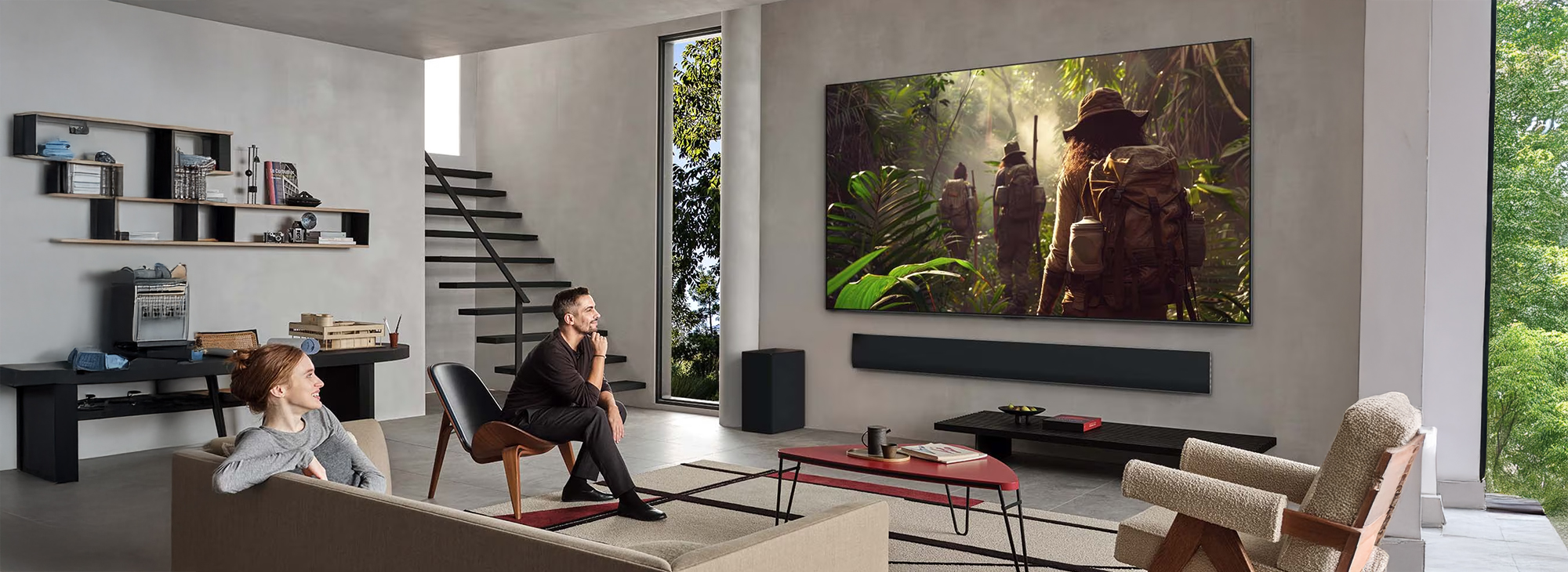
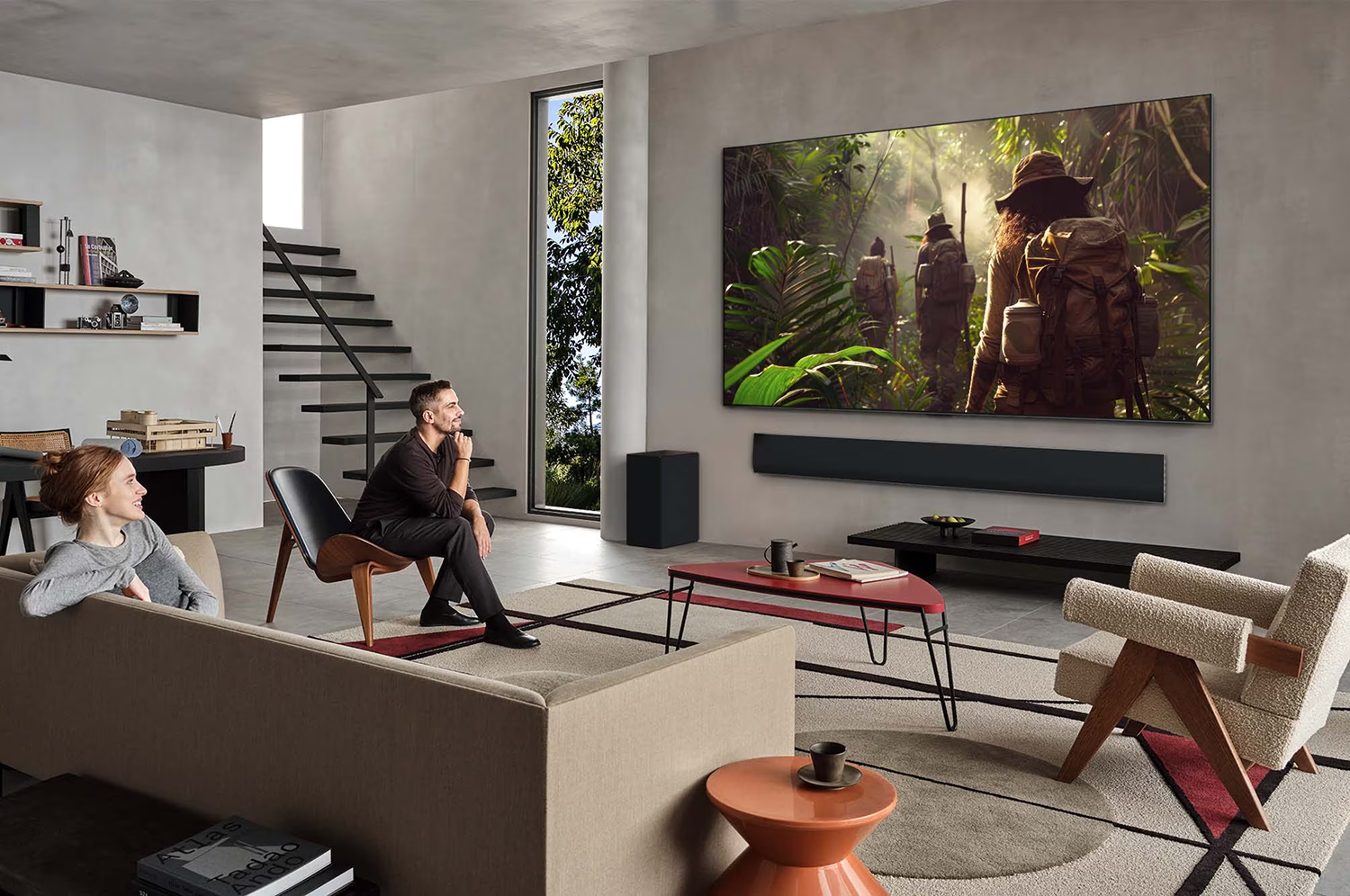
Does Screen Resolution Matter?
The more pixels your TV has, the higher the resolution, which means more picture quality, depth, and detail. Resolution is a term that tells you just how densely these tiny dots, the pixels, are put together on the display. Individual pixels collect together to make up the image you see on the screen, so the higher the pixel count, the higher the resolution.
Does Screen
Resolution Matter?
The more pixels your TV has, the higher the resolution, which means more picture quality, depth, and detail. Resolution is a term that tells you just how densely these tiny dots, the pixels, are put together on the display. Individual pixels collect together to make up the image you see on the screen, so the higher the pixel count, the higher the resolution.
What is HD Ready?
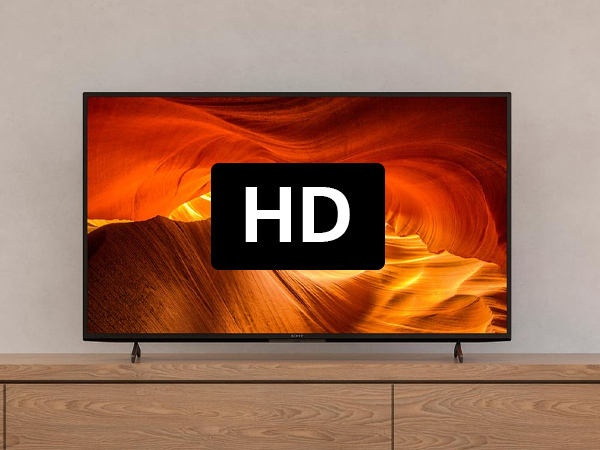
A HD-Ready TV can display 720p images (1280 x 720 pixels). a big step up from Standard Definition (640 x 480), but still not as sharp as Full HD resolution (1920 x 1080). HD-Ready is fine for smaller, 24-inch or 32-inch TVs for the kitchen or bedroom, but if you’re buying a bigger TV, then you probably want to go for Full HD or 4K Ultra HD.
What is HD Ready?
A HD-Ready TV can display 720p images (1280 x 720 pixels). a big step up from Standard Definition (640 x 480), but still not as sharp as Full HD resolution (1920 x 1080). HD-Ready is fine for smaller, 24-inch or 32-inch TVs for the kitchen or bedroom, but if you’re buying a bigger TV, then you probably want to go for Full HD or 4K Ultra HD.
What is Full HD?
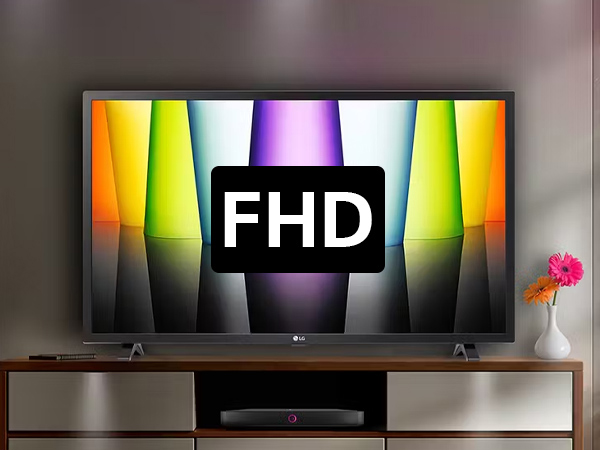
Full HD offers a 1920 x 1080 pixel resolution that’s four times the quality of HD-Ready, so you get crisp, beautifully detailed pictures to help you see everything that’s going on. Great for a budget purchase and medium-sized TVs, Full HD resolution often comes with HDR to ensure colours are also more vivid and realistic.
What is Full HD?
Full HD offers a 1920 x 1080 pixel resolution that’s four times the quality of HD-Ready, so you get crisp, beautifully detailed pictures to help you see everything that’s going on. Great for a budget purchase and medium-sized TVs, Full HD resolution often comes with HDR to ensure colours are also more vivid and realistic.
What is 4K Ultra?
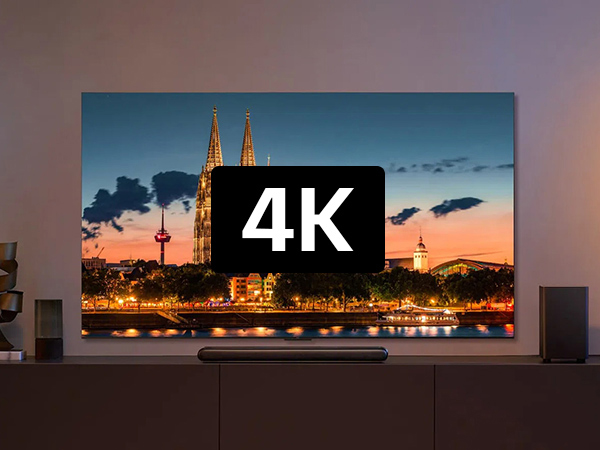
Take your entertainment to the next level with 4K Ultra HD featuring a 3840 x 2160-pixel resolution that’s four times the quality of Full HD. Thanks to the incredible detail, lifelike colours and natural motion that 4K brings to life, everything you watch feels more realistic, immersive and thrilling. There’s lots of 4K content to be found via providers such as BBC, ITV, Netflix, Amazon Prime, and YouTube.
What is 4K Ultra?
Take your entertainment to the next level with 4K Ultra HD featuring a 3840 x 2160-pixel resolution that’s four times the quality of Full HD. Thanks to the incredible detail, lifelike colours and natural motion that 4K brings to life, everything you watch feels more realistic, immersive and thrilling. There’s lots of 4K content to be found via providers such as BBC, ITV, Netflix, Amazon Prime, and YouTube.
What is 8K Ultra?
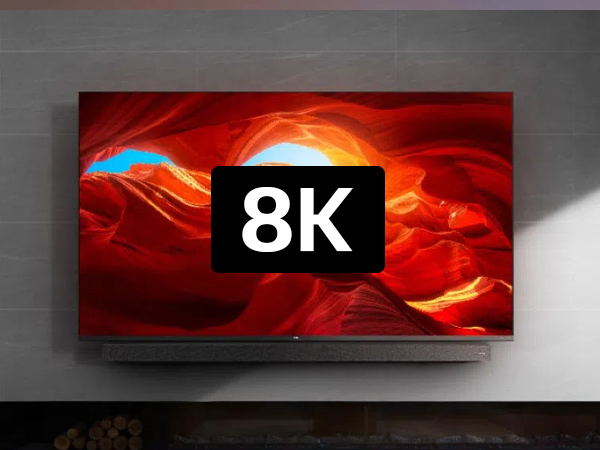
8K is 12 times the quality of Full HD! Feast your eyes on flawlessly realistic detail with greater depth, incredible perspective, and almost no pixelation regardless of how big your TV is – ideal for TVs 70 inches and above. 8K content is not yet widely available, but broadcasters and streaming services are updating their products all the time, so you can buy safe in the knowledge you’re future-proofed!
What is 8K Ultra?
8K is 12 times the quality of Full HD! Feast your eyes on flawlessly realistic detail with greater depth, incredible perspective, and almost no pixelation regardless of how big your TV is – ideal for TVs 70 inches and above. 8K content is not yet widely available, but broadcasters and streaming services are updating their products all the time, so you can buy safe in the knowledge you’re future-proofed!
Let's Dive Deeper Into Screen Technology
QLED, OLED, MiniLED, LED. They all sound similar, so what’s the difference? It’s an important consideration when purchasing your new TV – after all, what’s the point in a large screen that doesn’t do your entertainment justice?
Let's Dive Deeper
Into Screen Technology
QLED, OLED, MiniLED, LED. They all sound similar, so what’s the difference? It’s an important consideration when purchasing your new TV – after all, what’s the point in a large screen that doesn’t do your entertainment justice?
What is LED?
LED refers to light-emitting diodes. There are two types of backlight, including edge-lit and direct-lit. The tiny LED lights that make up the backlight are used to illuminate the pixels to deliver a crisp, clear picture. When you turn on the TV, these illuminate to light up the pixels, or switch off to block light passing through when a darker picture is required.
What is QLED?
A QLED TV uses Quantum Dots that set it apart from standard LED TVs. So, what is a Quantum Dot? Quantum Dots are ultra-fine semiconductor materials of nanoscale size. These tiny dots produce different colours of light depending on the particle size; larger particles emit red while smaller particles emit blue. The result? A tremendous boost in brightness and colour.
What is Neo QLED?
Neo QLED features Quantum Matrix Technology with Quantum Mini LEDs, allowing more LEDs to be placed within a smaller area, enabling precise screen control for boosted brightness with accurate light management, so you can enjoy finer details in both the darkest and brightest scenes.
What is LED?
LED refers to light-emitting diodes. There are two types of backlight, including edge-lit and direct-lit. The tiny LED lights that make up the backlight are used to illuminate the pixels to deliver a crisp, clear picture. When you turn on the TV, these illuminate to light up the pixels, or switch off to block light passing through when a darker picture is required.
What is QLED?
A QLED TV uses Quantum Dots that set it apart from standard LED TVs. So, what is a Quantum Dot? Quantum Dots are ultra-fine semiconductor materials of nanoscale size. These tiny dots produce different colours of light depending on the particle size; larger particles emit red while smaller particles emit blue. The result? A tremendous boost in brightness and colour.
What is Neo QLED?
Neo QLED features Quantum Matrix Technology with Quantum Mini LEDs, allowing more LEDs to be placed within a smaller area, enabling precise screen control for boosted brightness with accurate light management, so you can enjoy finer details in both the darkest and brightest scenes.
What is Mini LED?
Mini LED is a type of backlight technology that uses smaller LED lights compared to the ones used in standard LED — hence the name Mini LED. It delivers higher peak brightness, deeper black expression, and better image control. This allows more LEDs to be placed within a smaller area.
What is OLED?
OLED (Organic Light Emitting Diode) is a display technology where each pixel is individually lit, allowing for deep black levels and well-balanced contrast. OLED excels at providing vibrant colours and rich blacks, making it an excellent choice for those who prioritise deep contrast and colour accuracy, and high contrast ratios.
What is QNED?
QNED is an LG TV display technology that combines Quantum Dot, NanoCell, and Mini LED technologies to produce bright, vibrant images with excellent contrast and color accuracy. It uses thousands of tiny Mini LEDs for backlighting and a NanoCell layer to improve color and contrast, while Quantum Dots enhance color.
What is Mini LED?
Mini LED is a type of backlight technology that uses smaller LED lights compared to the ones used in standard LED — hence the name Mini LED. It delivers higher peak brightness, deeper black expression, and better image control. This allows more LEDs to be placed within a smaller area.
What is OLED?
OLED (Organic Light Emitting Diode) is a display technology where each pixel is individually lit, allowing for deep black levels and well-balanced contrast. OLED excels at providing vibrant colours and rich blacks, making it an excellent choice for those who prioritise deep contrast and colour accuracy, and high contrast ratios.
What is QNED?
QNED is an LG TV display technology that combines Quantum Dot, NanoCell, and Mini LED technologies to produce bright, vibrant images with excellent contrast and color accuracy. It uses thousands of tiny Mini LEDs for backlighting and a NanoCell layer to improve color and contrast, while Quantum Dots enhance color.
What is Nanocell?
Nanocells are TV pixels that you’ll find in NanoCell TVs. They sit behind the screen and are tiny units that, together, display the images you see on-screen. anoCells differ from regular TV pixels, using nanoparticles to display rich images, by filtering out duller tones. The result? Deeper colours that look lifelike.
What is Micro LED?
MicroLED is an advanced display technology that uses microscopic, self-emissive light-emitting diodes (LEDs) to form individual pixels, providing superior brightness, contrast, color accuracy, and energy efficiency compared to traditional displays. Each MicroLED pixel generates its own light, allowing for perfect black levels and precise color control.
What is ULED?
ULED, or Ultra LED, is Hisense’s proprietary ultimate viewing experience. It combines technologies across four key areas: Ultra Local Dimming, Ultra Wide Color Gamut, Ultra 4K Resolution, and Ultra Smooth Rate. It’s the ultimate screen for sports, nature, docs, movies, and gaming. You know Joe and Sansa would have this television in their home.
What is Nanocell?
Nanocells are TV pixels that you’ll find in NanoCell TVs. They sit behind the screen and are tiny units that, together, display the images you see on-screen. anoCells differ from regular TV pixels, using nanoparticles to display rich images, by filtering out duller tones. The result? Deeper colours that look lifelike.
What is Micro LED?
MicroLED is an advanced display technology that uses microscopic, self-emissive light-emitting diodes (LEDs) to form individual pixels, providing superior brightness, contrast, color accuracy, and energy efficiency compared to traditional displays. Each MicroLED pixel generates its own light, allowing for perfect black levels and precise color control.
What is ULED?
ULED, or Ultra LED, is Hisense’s proprietary ultimate viewing experience. It combines technologies across four key areas: Ultra Local Dimming, Ultra Wide Color Gamut, Ultra 4K Resolution, and Ultra Smooth Rate. It’s the ultimate screen for sports, nature, docs, movies, and gaming. You know Joe and Sansa would have this television in their home.
What's The Recommended Viewing Distance For Your TV
All TVs have a recommended distance and angle that you will want to consider when setting it up in your home. The best and most immersive viewing experience is when 40 degrees of your field of view is taken up by the screen.
What's The Recommended Viewing Distance For Your TV
All TVs have a recommended distance and angle that you will want to consider when setting it up in your home. The best and most immersive viewing experience is when 40 degrees of your field of view is taken up by the screen.
What Size TV Should I Get?
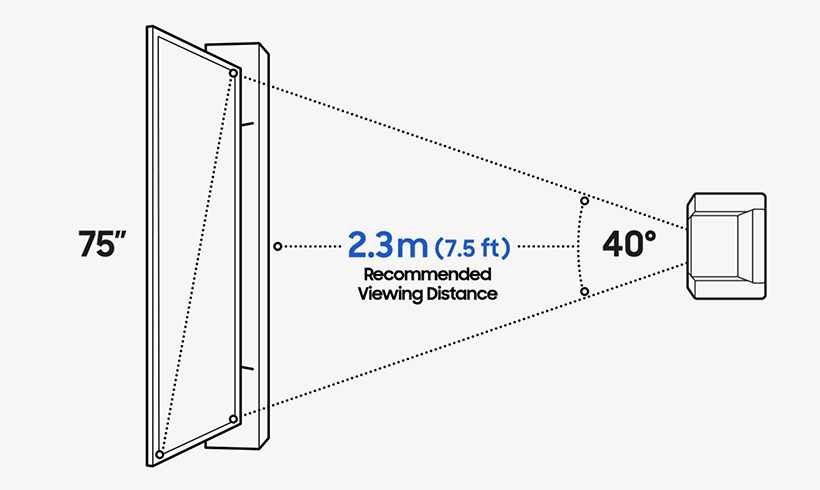
TV viewing distance is something to keep in mind when deciding what is the best size TV for your room and calculating how far you should sit from your TV. All TVs have a recommended distance and angle that you will want to consider when setting it up in your home. The best, most immersive viewing experience occurs when 40 degrees of your field of view is taken up by the screen. This field of view distance can easily be calculated if you know the size of your TV.
43 Inch | 1.4 m (4.5 ft) |
|---|---|
50 Inch | 1.5 m (5.0 ft) |
55 Inch | 1.7 m (5.5 ft) |
65 Inch | 2.0 m (6.5 ft) |
75 Inch | 2.3 m (7.5 ft) |
85 Inch | 2.6 m (8.5 ft) |
98 Inch | 3.0 m (9.8 ft) |
What Size TV
Should I Get?
TV viewing distance is something to keep in mind when deciding what is the best size TV for your room and calculating how far you should sit from your TV. All TVs have a recommended distance and angle that you will want to consider when setting it up in your home. The best, most immersive viewing experience occurs when 40 degrees of your field of view is taken up by the screen. This field of view distance can easily be calculated if you know the size of your TV.
43 Inch | 1.4 m (4.5 ft) |
|---|---|
50 Inch | 1.5 m (5.0 ft) |
55 Inch | 1.7 m (5.5 ft) |
65 Inch | 2.0 m (6.5 ft) |
75 Inch | 2.3 m (7.5 ft) |
85 Inch | 2.6 m (8.5 ft) |
98 Inch | 3.0 m (9.8 ft) |
The Future is Smart
Smart TVs are bursting with innovative and clever features designed to make your life easier, but what exactly is a Smart TV?
The Future is Smart
Smart TVs are bursting with innovative and clever features designed to make your life easier, but what exactly is a Smart TV?
What is a Smart TV?
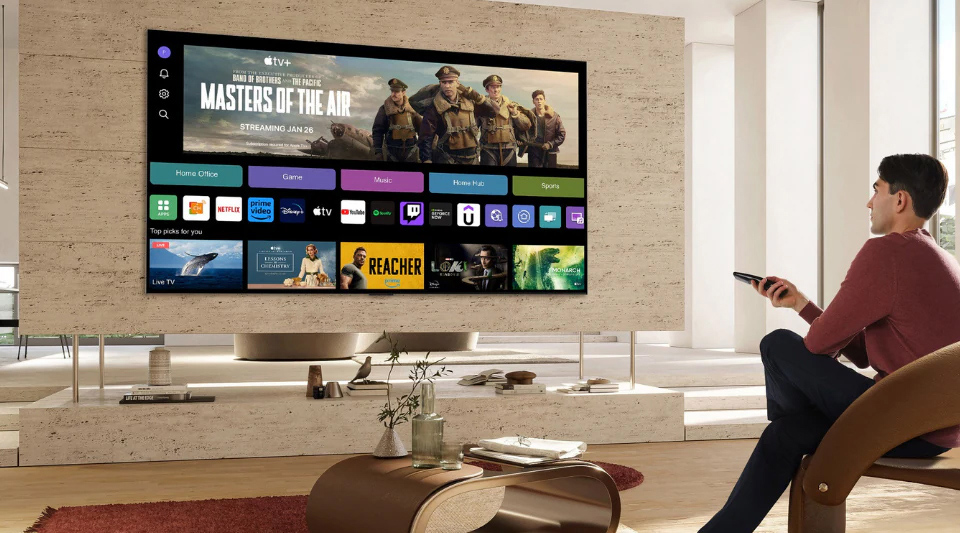
In short, a smart TV is an internet-enabled TV that connects to your favourite streaming platforms for endless enjoyment of your favourite content. If your TV has internet connectivity, runs on an operating system, and comes with its own app service, it’s smart!
Smart TVs are very much like smartphones; they stream entertainment straight to your TV via an internet connection. This means that you can watch all the latest films, box sets and play games on your smart TV without the need for an aerial, cable or separate streaming device.
TV + internet + apps = Smart TV
What is a Smart TV?
In short, a smart TV is an internet-enabled TV that connects to your favourite streaming platforms for endless enjoyment of your favourite content. If your TV has internet connectivity, runs on an operating system, and comes with its own app service, it’s smart!
Smart TVs are very much like smartphones; they stream entertainment straight to your TV via an internet connection. This means that you can watch all the latest films, box sets and play games on your smart TV without the need for an aerial, cable or separate streaming device.
TV + internet + apps = Smart TV
How Does a Smart TV Work?
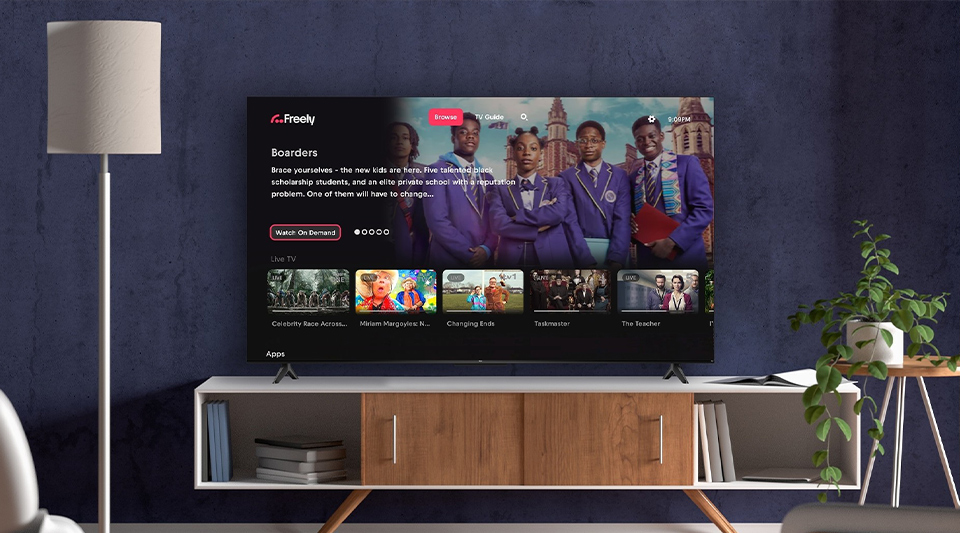
Smart TVs come with built-in Wi-Fi connectivity. This allows them to provide you with a variety of streaming services and content for instance, Netflix, Disney+, Amazon Prime and many more. You can choose to connect your smart TV to the internet either wirelessly or using an Ethernet cable. An Ethernet cable will provide you with a stronger, more stable internet connection.
Whilst connecting wirelessly gives you more freedom to choose where you position your TV in your home, as you are not restricted to where the Ethernet cable can reach. Your new smart TV will guide you through how to set up your TV when you initially turn it on.
How Does a
Smart TV Work?
Smart TVs come with built-in Wi-Fi connectivity. This allows them to provide you with a variety of streaming services and content for instance, Netflix, Disney+, Amazon Prime and many more. You can choose to connect your smart TV to the internet either wirelessly or using an Ethernet cable. An Ethernet cable will provide you with a stronger, more stable internet connection.
Whilst connecting wirelessly gives you more freedom to choose where you position your TV in your home, as you are not restricted to where the Ethernet cable can reach. Your new smart TV will guide you through how to set up your TV when you initially turn it on.
Why Sound Quality is Sometimes an Issue on TVs
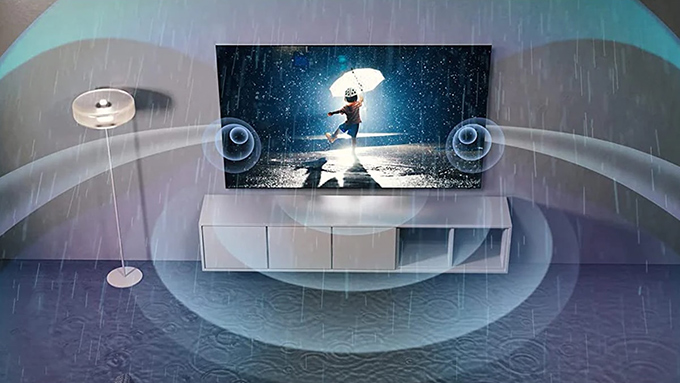
TVs have been getting thinner over the years. They take up less space in your lounge and can easily be mounted on walls. This has made it harder for any manufacturers to equip their screens with speakers big and powerful enough to fill a room with clear and immersive sound.
Built-in TV speakers
Sound quality standards have improved across most modern flat-screen TVs in the last few years. The same couldn't be said about a decade ago! Many now come fitted with superb built-in speakers that'll fill your living room with detailed audio, so you won't be missing out on any important dialogue in your favourite dramas.


LG TVs: with Ai Sound Pro Tech
It can automatically optimise the audio based on what you're watching. Checking out a live performance from your favourite band? It'll fine-tune a few things to make sure you can hear every instrument. This deep learning tech means that you won't have to menu dive to choose the best sound option every time, either, as it'll do it for you. It can also transform 2-channel audio into virtual 9.1.2 surround sound for that cool movie theatre experience in your home.
It can automatically optimise the audio based on what you're watching. Checking out a live performance from your favourite band? It'll fine-tune a few things to make sure you can hear every instrument. This deep learning tech means that you won't have to menu dive to choose the best sound option every time, either, as it'll do it for you. It can also transform 2-channel audio into virtual 9.1.2 surround sound for that cool movie theatre experience in your home.
Samsung TVs: Object Tracking Sound
Many Samsung TVs also feature proprietary Object Tracking Sound (OTS) tech that "recognises where the action is happening on screen, and plays the sound through that speaker" — according to the tech giants themselves.
Many Samsung TVs also feature proprietary Object Tracking Sound (OTS) tech that "recognises where the action is happening on screen, and plays the sound through that speaker" — according to the tech giants themselves.
Dolby Atmos
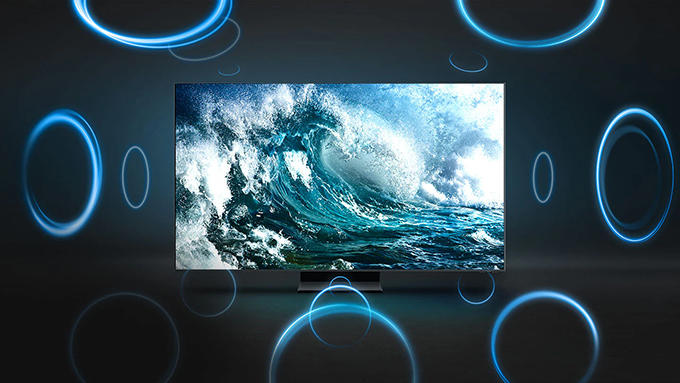
Dolby Atmos sound is quickly becoming the industry standard for audio. It offers a truly immersive sound experience that envelops you from all angles, providing exceptional depth, clarity, and detailed sound with built-in up-firing speakers within the TV.
Dolby Atmos sound is quickly becoming the industry standard for audio. It offers a truly immersive sound experience that envelops you from all angles, providing exceptional depth, clarity, and detailed sound with built-in up-firing speakers within the TV.
Smart Ai Sound
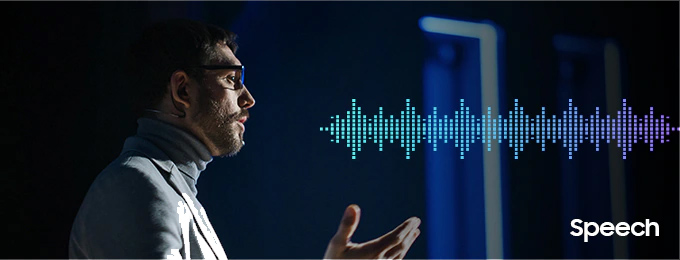
Some TVs released in the last few years even use Ai to improve their sound in real-time. Like isolating dialogue from background noise or a film's soundtrack to make it easier to hear what characters are saying.
Some TVs released in the last few years even use Ai to improve their sound in real-time. Like isolating dialogue from background noise or a film's soundtrack to make it easier to hear what characters are saying.
LG TVs
with Ai Sound Pro Tech
It can automatically optimise the audio based on what you're watching. Checking out a live performance from your favourite band? It'll fine-tune a few things to make sure you can hear every instrument. This deep learning tech means that you won't have to menu dive to choose the best sound option every time, either, as it'll do it for you. It can also transform 2-channel audio into virtual 9.1.2 surround sound for that cool movie theatre experience in your home.
It can automatically optimise the audio based on what you're watching. Checking out a live performance from your favourite band? It'll fine-tune a few things to make sure you can hear every instrument. This deep learning tech means that you won't have to menu dive to choose the best sound option every time, either, as it'll do it for you. It can also transform 2-channel audio into virtual 9.1.2 surround sound for that cool movie theatre experience in your home.
Samsung TVs
Object Tracking Sound
Many Samsung TVs also feature proprietary Object Tracking Sound (OTS) tech that "recognises where the action is happening on screen, and plays the sound through that speaker" — according to the tech giants themselves.
Many Samsung TVs also feature proprietary Object Tracking Sound (OTS) tech that "recognises where the action is happening on screen, and plays the sound through that speaker" — according to the tech giants themselves.
Dolby Atmos
Dolby Atmos sound is quickly becoming the industry standard for audio. It offers a truly immersive sound experience that envelops you from all angles, providing exceptional depth, clarity, and detailed sound with built-in up-firing speakers within the TV.
Dolby Atmos sound is quickly becoming the industry standard for audio. It offers a truly immersive sound experience that envelops you from all angles, providing exceptional depth, clarity, and detailed sound with built-in up-firing speakers within the TV.
Smart Ai Sound
Some TVs released in the last few years even use Ai to improve their sound in real-time. Like isolating dialogue from background noise or a film's soundtrack to make it easier to hear what characters are saying.
Some TVs released in the last few years even use Ai to improve their sound in real-time. Like isolating dialogue from background noise or a film's soundtrack to make it easier to hear what characters are saying.
What is Refresh Rate & Why is it Important?
Refresh rate refers to how many times a display updates the image in one second, meaning a 120Hz monitor refreshes 120 times per second. It’s measured in Hz.
What is Refresh Rate
Why is it Important?
Refresh rate refers to how many times a display updates the image in one second, meaning a 120Hz monitor refreshes 120 times per second. It’s measured in Hz.
Does Refresh Rate Matter?
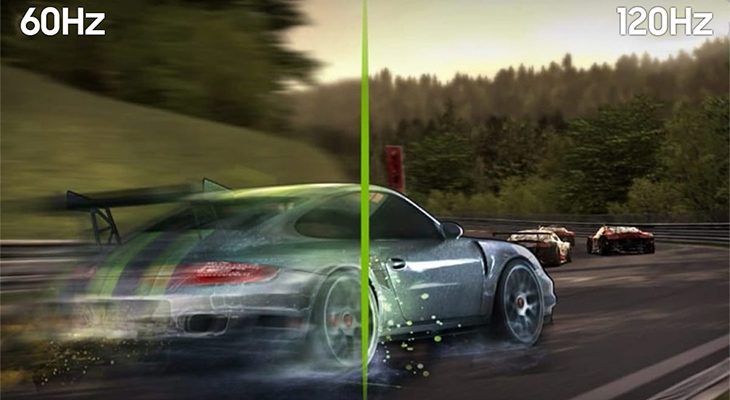
The higher the refresh rate of a TV, the quicker the screen is able to refresh the image. The more individual images shown in a single second, the smoother the on-screen motion appears to the naked eye. As a result, higher refresh rates are perfect for those who like to feel like they’re in the heart of the action!
Live Sport & Events
High refresh rates are also perfect for enjoying live events and especially sports on your TV. If you’re a big fan of football, then high refresh rates are essential. A higher refresh rate allows every single action to be rendered at a realistic speed.
Resolution
4K or 8K panel technology (OLED, QLED, Mini LED) also impacts picture quality. A well-balanced TV with a 120 Hz refresh rate, good response time, and HDMI 2.1 ports will be ideal for most people.
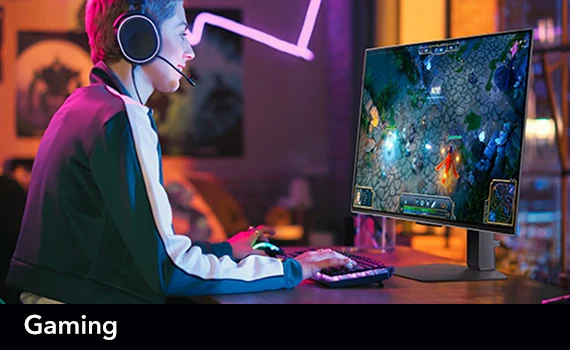
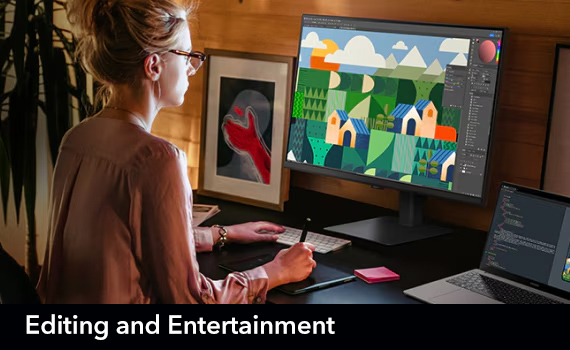
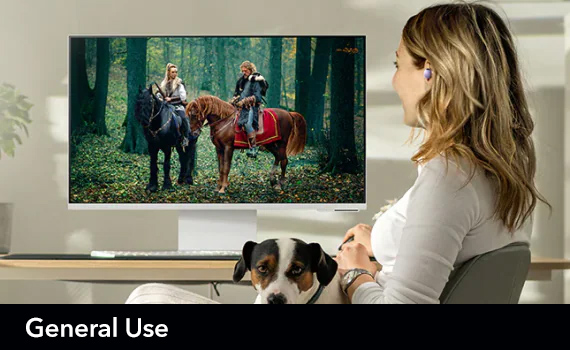
| Where To Use | Refresh Rate | Reason |
| Everyday viewing | 50/60Hz | Netflix and live TV run between 24 and 60 fps, 60 Hz TV be fine |
| Sports & Events | 120 Hz | A higher refresh rate helps reduce motion blur, fast-moving action (football or F1) |
| Console gamers | 120 Hz plus VRR | Most modern game consoles can hit 120 fps. Pair that with a 120 Hz TV and VRR for fluid, tear-free gameplay. |
| PC gamers | 144 Hz /165 Hz | High-end TVs push up to 144 Hz or even 165 Hz for ultra-smooth PC gaming. This is great for competitive gameplay |
Does Refresh Rate Matter?
The higher the refresh rate of a TV, the quicker the screen is able to refresh the image. The more individual images shown in a single second, the smoother the on-screen motion appears to the naked eye. As a result, higher refresh rates are perfect for those who like to feel like they’re in the heart of the action!
Live Sport & Events
High refresh rates are also perfect for enjoying live events and especially sports on your TV. If you’re a big fan of football, then high refresh rates are essential. A higher refresh rate allows every single action to be rendered at a realistic speed.
Resolution
4K or 8K panel technology (OLED, QLED, Mini LED) also impacts picture quality. A well-balanced TV with a 120 Hz refresh rate, good response time, and HDMI 2.1 ports will be ideal for most people.
| Where To Use | Refresh Rate | Reason |
| Everyday viewing | 50/60Hz | Netflix and live TV run between 24 and 60 fps, 60 Hz TV be fine |
| Sports & Events | 120 Hz | A higher refresh rate helps reduce motion blur, fast-moving action (football or F1) |
| Console gamers | 120 Hz plus VRR | Most modern game consoles can hit 120 fps. Pair that with a 120 Hz TV and VRR for fluid, tear-free gameplay. |
| PC gamers | 144 Hz /165 Hz | High-end TVs push up to 144 Hz or even 165 Hz for ultra-smooth PC gaming. This is great for competitive gameplay |
Gaming
Refresh rates are especially important for a gamer. Victory in a video game can come down to split-second decisions made during gameplay. The higher the refresh rate the easier it is to keep track of the action on screen and react accordingly. High refresh rates are also crucial if you plan to play video games with higher frame rates. If you plan to play a game at 120 frames per second, you will need a TV with a higher refresh rate.
Refresh rates are especially important for a gamer. Victory in a video game can come down to split-second decisions made during gameplay. The higher the refresh rate the easier it is to keep track of the action on screen and react accordingly. High refresh rates are also crucial if you plan to play video games with higher frame rates. If you plan to play a game at 120 frames per second, you will need a TV with a higher refresh rate.
What is Variable Refresh Rate (VRR)?
VRR technology lets the television’s refresh rate adjust dynamically to match the frame rate of a game, eliminating screen tearing and stuttering.
VRR technology lets the television’s refresh rate adjust dynamically to match the frame rate of a game, eliminating screen tearing and stuttering.
Gaming
Refresh rates are especially important for a gamer. Victory in a video game can come down to split-second decisions made during gameplay. The higher the refresh rate the easier it is to keep track of the action on screen and react accordingly. High refresh rates are also crucial if you plan to play video games with higher frame rates. If you plan to play a game at 120 frames per second, you will need a TV with a higher refresh rate.
Refresh rates are especially important for a gamer. Victory in a video game can come down to split-second decisions made during gameplay. The higher the refresh rate the easier it is to keep track of the action on screen and react accordingly. High refresh rates are also crucial if you plan to play video games with higher frame rates. If you plan to play a game at 120 frames per second, you will need a TV with a higher refresh rate.
What is Variable
Refresh Rate (VRR)?
VRR technology lets the television’s refresh rate adjust dynamically to match the frame rate of a game, eliminating screen tearing and stuttering.
VRR technology lets the television’s refresh rate adjust dynamically to match the frame rate of a game, eliminating screen tearing and stuttering.
